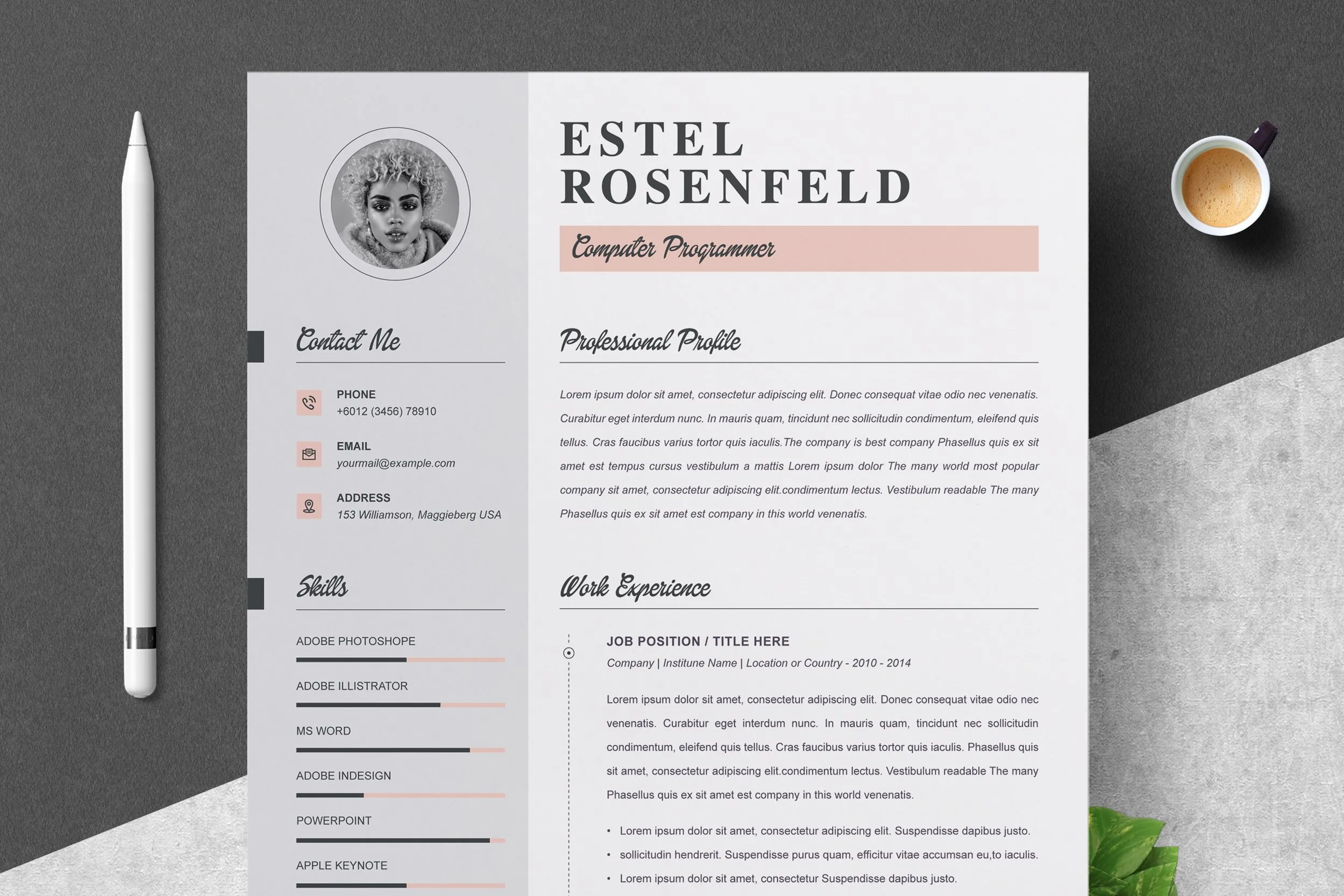
What is a Cover Letter and Why You Need One
A cover letter is a crucial document accompanying your resume when applying for jobs. It serves as an introduction, allowing you to showcase your personality, skills, and enthusiasm for the position. Unlike a resume, which provides a factual overview of your experience, a cover letter lets you explain why you’re the perfect fit for a specific role and company. It provides a space to articulate your career goals, demonstrate your understanding of the employer’s needs, and make a compelling case for why you deserve an interview. A well-crafted cover letter can significantly increase your chances of getting noticed by potential employers and landing your dream job. Many hiring managers consider a cover letter as an essential component of the application process, and without it, your application may be overlooked.
Benefits of Using a Microsoft Word Cover Letter Template
Using a Microsoft Word cover letter template offers numerous advantages in your job search. First and foremost, it saves you considerable time and effort. Instead of starting from scratch, you can easily customize a pre-designed template with your information. Templates provide a professional layout and structure, ensuring your cover letter looks polished and organized. They often include suggestions for content, helping you to address key sections such as your skills, experiences, and career goals. Many free templates are available, making it an affordable option for all job seekers. Templates provide a consistent format, streamlining the application process and reducing the stress associated with designing a cover letter from the ground up. Furthermore, they guarantee a professional presentation, increasing the likelihood of making a positive first impression.
How to Download Free Cover Letter Templates from Microsoft Word

Downloading free cover letter templates from Microsoft Word is a straightforward process. Begin by opening Microsoft Word on your computer. In the search bar, located at the top of the startup screen, type cover letter and press enter. Word will then display various cover letter templates. You can browse through the options, previewing each one to see which layout and design best suit your needs and the job you are applying for. Once you find a template you like, click on it. Word will then open a new document based on the selected template. From there, you can customize the template by adding your personal information, experiences, and skills. This simple process makes it easy and accessible to create a professional cover letter.
Finding and Choosing the Right Template
Selecting the right cover letter template is a crucial step in crafting a compelling application. Consider your industry, the job requirements, and your personal brand when choosing a template. Opt for a clean, professional design that is easy to read. Avoid overly complex or flashy templates that might distract the hiring manager from your qualifications. Think about the tone you want to convey; a more traditional template might suit a conservative industry, while a modern design could be suitable for a tech company. Browse a variety of templates to compare styles, layouts, and formatting options. Make sure the template allows you to easily incorporate your information and customize it to fit your specific needs. Choosing a template that resonates with the job and your personal style will increase your chances of making a positive impact.
Downloading and Accessing the Template
Once you’ve chosen a template, downloading and accessing it is simple. In most cases, the template will download directly within Microsoft Word when you click on it. Ensure you have a stable internet connection, as this is required to access online templates. After selecting the template, Microsoft Word will generate a new document based on the template’s design. If the template doesn’t open immediately, check your downloads folder. The downloaded template will typically be a .docx file, which you can open directly in Word. If you’re using an older version of Word, you might need to update your software or check for compatibility issues. Ensure you have the necessary permissions to edit the document before starting to customize your cover letter.
Customizing Your Cover Letter Template

Customizing your cover letter template is essential to personalize it and make it your own. Start by replacing the placeholder text with your information, including your name, contact details, and the date. Tailor the content to align with the specific job you are applying for. Modify the introduction to capture the reader’s attention, highlighting your key skills and experiences relevant to the role. In the body paragraphs, elaborate on how your skills and experiences match the job requirements, providing specific examples of your accomplishments. Adapt the template’s structure to suit your needs, adding or removing sections as necessary. Adjust the font, margins, and spacing to create a professional appearance. Proofread the document thoroughly to ensure there are no grammatical errors or typos. By customizing the template, you create a unique cover letter that highlights your qualifications and makes you stand out from other applicants.
Personalizing Your Template with Your Information
Personalizing your cover letter with your information involves adding your unique details to the template. Begin with your contact information, including your full name, phone number, email address, and optionally, your LinkedIn profile URL. Address the hiring manager by name if possible, researching the company website or LinkedIn to find the correct contact. Tailor the introduction to show your enthusiasm for the specific job and company. Highlight your relevant skills, experience, and accomplishments, backing them up with quantifiable results whenever possible. Describe how your experience aligns with the job’s responsibilities and company culture. Ensure your writing style reflects your personality and professionalism. Review the template’s pre-written content and adapt it to your strengths and the job requirements. By focusing on these details, you create a compelling, personalized cover letter that reflects your genuine interest in the role.
Formatting Your Cover Letter in Microsoft Word
Formatting your cover letter in Microsoft Word is essential for a professional presentation. Ensure the font is easy to read; common choices include Times New Roman, Arial, or Calibri, with a font size of 10-12 points. Use consistent font styles and sizes throughout the document. Set the margins to one inch on all sides to provide a clean, uncluttered appearance. Use single or 1.15 line spacing to make the text easy to scan. Employ headings and subheadings to break up the text and make it easier to read. Use bullet points to list skills, achievements, or responsibilities, ensuring they are concise and easy to understand. Use bold or italics sparingly to emphasize key points, avoiding excessive use that can detract from the overall presentation. Maintain consistent alignment throughout the letter, typically left-aligned. Always proofread the document to catch any formatting errors or inconsistencies. Proper formatting enhances readability and professionalism, significantly improving your cover letter’s effectiveness.
Essential Elements to Include in Your Cover Letter

A well-structured cover letter includes several essential elements that are vital for making a strong impression. Start with your contact information, including your name, address, phone number, and email address. Address the hiring manager by name if possible, which shows you have researched the company and are genuinely interested in the position. In the introduction, clearly state the position you are applying for and where you found the job posting. The body of your letter should highlight your key skills and experiences, demonstrating how they align with the job requirements. Provide specific examples of your accomplishments, using quantifiable results to show your impact. Express your enthusiasm for the company and the opportunity, explaining why you want to work there. In the closing, thank the hiring manager for their time and consideration, and include a call to action, such as expressing your availability for an interview. Ensure that your cover letter is concise, well-written, and tailored to the specific job.
Contact Information, Addressing the Recipient, and Introduction
The initial elements of your cover letter, including your contact information, the recipient’s address, and the introduction, are crucial for making a positive first impression. Begin by including your name, address, phone number, and professional email address at the top of the document. If you have a LinkedIn profile, you can include a link to it here. Next, address the hiring manager by name if possible. Research the company website or LinkedIn to find the correct name and title. Avoid generic greetings like “To Whom It May Concern.” In the introduction, clearly state the position you are applying for and how you learned about the opportunity. Briefly mention why you are interested in the role and the company, creating immediate interest from the reader. Keep the introduction concise, focusing on your most relevant qualifications and what makes you a good fit for the job. A well-crafted introduction sets the tone for the rest of your cover letter.
Highlighting Skills and Experiences
Highlighting your skills and experiences effectively is a critical part of your cover letter. Focus on the skills and experiences that are most relevant to the job requirements, ensuring alignment with the job description. Provide specific examples of how you have utilized your skills in previous roles or projects. Instead of just listing your skills, provide context by describing the situations in which you used them and what you accomplished. Quantify your achievements whenever possible; for example, mention the percentage increase in sales or the number of projects you managed successfully. Use action verbs to describe your responsibilities and achievements, such as “managed,” “developed,” “implemented,” or “achieved.” Tailor the examples to the specific job, showing that you understand the company’s needs and can contribute to its goals. By showcasing your skills and experiences through relevant, concrete examples, you demonstrate your value and increase your chances of being selected for an interview.
Showcasing Achievements and Quantifiable Results

Showcasing your achievements and quantifiable results in your cover letter makes a compelling case for your candidacy. Instead of simply stating your responsibilities, demonstrate your impact by highlighting your accomplishments. Use metrics and data to support your claims, making your achievements more tangible and convincing. For example, if you improved sales, provide the percentage increase or the total revenue generated. If you streamlined a process, mention the time saved or the cost reduction achieved. If you managed a project, highlight the key milestones met or the project’s successful completion. Frame your achievements using the STAR method (Situation, Task, Action, Result) to provide context and demonstrate how you used your skills to achieve specific outcomes. By including quantifiable results, you show potential employers the value you bring and provide solid evidence of your capabilities, setting your application apart from others.
Expressing Enthusiasm and Closing with a Call to Action
Expressing enthusiasm for the role and company, and including a call to action in your cover letter, significantly increases your chances of securing an interview. In the body of your letter, clearly articulate your interest in the position and the organization. Explain why you are excited about the opportunity and how your skills and experiences align with the company’s mission and values. Show that you have researched the company and understand its goals. In the closing paragraph, thank the hiring manager for their time and consideration. Reiterate your interest in the position and state that you are available for an interview. End with a clear call to action, such as “I am eager to discuss my qualifications further” or “I look forward to hearing from you soon.” Ensure that your closing is professional and reflects your enthusiasm for the opportunity, leaving a lasting positive impression on the hiring manager.
Proofreading and Reviewing Your Cover Letter
Proofreading and reviewing your cover letter is a crucial step to ensure it is polished, professional, and free of errors. Before submitting your cover letter, thoroughly proofread it to catch any grammatical errors, typos, or formatting inconsistencies. Check for correct spelling and punctuation. Read the letter aloud to identify awkward phrasing or sentences that don’t flow smoothly. Use spell-check and grammar-check tools, but don’t rely on them completely; they may miss subtle errors. Ask a friend, family member, or career advisor to review your cover letter for clarity, content, and overall effectiveness. Ensure that the content is tailored to the specific job and company. Make sure your contact information is accurate and up-to-date. By taking the time to proofread and review your cover letter, you show attention to detail and demonstrate professionalism, significantly increasing your chances of making a positive first impression and securing an interview.
Common Mistakes to Avoid

Avoiding common mistakes in your cover letter is essential for making a positive impression. One of the biggest mistakes is not tailoring your cover letter to the specific job. Generic cover letters, which are not customized to the role, make a poor impression. Make sure to research the company and job requirements to tailor your letter accordingly. Another common mistake is including too much irrelevant information or repeating what’s in your resume. Keep your cover letter concise and focused on the most important qualifications. Grammatical errors and typos can undermine your credibility, so proofread your letter carefully. Avoid using clichés or overly formal language, which can make you seem insincere or out-of-touch. Do not forget to include a call to action at the end, inviting the hiring manager to contact you. By avoiding these common mistakes, you will present yourself as a qualified and professional candidate, increasing your chances of success.
Saving and Submitting Your Cover Letter
Saving and submitting your cover letter correctly is crucial for ensuring it’s received and viewed professionally. When saving your cover letter, use a clear and descriptive file name, such as “YourName_CoverLetter_JobTitle.” This makes it easy for the hiring manager to identify your document. Save the cover letter in a professional format, such as .docx or .pdf. If you choose to save as a PDF, the formatting will remain consistent across different devices. When submitting your cover letter online, follow the instructions provided in the job application. Attach your cover letter and resume as separate documents unless otherwise specified. Make sure your documents are correctly formatted and are not corrupted. Double-check that all information is accurate before submitting your application. By saving and submitting your cover letter correctly, you ensure that your application is presented professionally, enhancing your chances of getting noticed.
Best Practices for Saving and Exporting
Adhering to best practices when saving and exporting your cover letter ensures that it is presented professionally and received in a compatible format. Begin by using a clear and descriptive file name; include your name and the job title, such as “JohnDoe_CoverLetter_MarketingManager.” This allows the hiring manager to easily identify your application. Save your cover letter in a widely compatible format, either .docx or .pdf. The .docx format preserves the formatting if the recipient also uses Microsoft Word. The .pdf format is often preferred as it ensures that the formatting remains consistent, regardless of the software used to open the document. To export your cover letter as a PDF, go to the File menu, choose “Save As,” and then select “PDF” as the file type. Verify that all formatting, including fonts, margins, and line spacing, is preserved in the PDF version. Always double-check the final version before submission to ensure that it reflects your efforts.
Submitting Your Cover Letter with Your Resume

Submitting your cover letter with your resume is a critical step in your job application. Make sure to follow the specific instructions of each job application platform, which may vary. Typically, you will attach both your cover letter and your resume as separate files. Verify that both documents are in a compatible format, such as .docx or .pdf, ensuring the hiring manager can open and view them easily. When uploading your files, ensure they are clearly labeled, e.g., “JohnDoe_CoverLetter.pdf” and “JohnDoe_Resume.pdf.” Some online application systems may require you to paste the cover letter directly into a text box, in which case, ensure you’ve formatted it correctly. If submitting via email, include a concise subject line that mentions the job title and your name. In the email body, briefly introduce yourself and mention that you have attached your cover letter and resume for review. Always proofread both documents before submitting to ensure there are no errors. The correct submission of both your cover letter and resume significantly enhances your application.
Examples of Effective Cover Letters Using Templates
Reviewing examples of effective cover letters created from templates provides valuable insight into how to customize your own. Analyze the structure, content, and formatting of these examples to understand how successful candidates showcase their skills and experience. Look for examples that align with your industry and the type of job you are applying for. Observe how the candidates tailor the template to highlight relevant qualifications and achievements. Pay attention to the language used, noting the use of action verbs, quantifiable results, and enthusiastic tone. Note how the examples address specific job requirements and company values. Study the closing paragraphs to understand how to include a clear call to action. Compare different examples to gain a better understanding of how to craft a cover letter that stands out. By carefully reviewing these examples, you can learn how to effectively adapt a template to create a compelling cover letter that maximizes your chances of success.
Template for Specific Industries
When using cover letter templates, consider the industry you are targeting, as different industries often require different approaches. For example, a cover letter for a creative role might have a more visually appealing or unconventional design. On the other hand, a cover letter for a more traditional industry, such as finance or law, should adopt a professional and formal tone and layout. Research industry-specific best practices for cover letter writing. Tailor the content to highlight skills and experiences that are particularly valued in your chosen field. Include industry-specific keywords to demonstrate your understanding of the field. Adapt the formatting and style of the template to align with the professional norms of your industry. Review examples of cover letters used successfully in your target industry to get inspiration for your own. Customize your template to demonstrate your industry knowledge and make a positive impression on potential employers.
Template for Entry-Level Positions
For entry-level positions, cover letter templates should be customized to showcase skills and experiences gained through education, internships, or volunteer work. Since you may have limited professional experience, focus on highlighting transferable skills, such as communication, teamwork, problem-solving, and leadership. Emphasize any relevant coursework or projects that demonstrate your abilities. Showcase your enthusiasm for the role and the company, explaining why you are interested in the specific opportunity. Use the cover letter to explain how your skills and experiences make you a great fit. When using the template, ensure that the language is clear, concise, and easy to understand. Avoid using overly technical jargon that may not be appropriate for entry-level positions. Make sure to express your willingness to learn and adapt to new challenges. Highlight any relevant extracurricular activities or volunteer experiences to demonstrate your initiative and passion for your chosen career path.
Template for Career Changes
When making a career change, the cover letter template should be strategically adapted to bridge the gap between your previous experience and the new role. Begin by identifying the transferable skills and experiences that align with the requirements of the new position. Focus on showcasing these skills in the body of your letter, providing relevant examples from your past roles. Highlight any training, certifications, or education you have completed to prepare for the career change. Address the hiring manager’s concerns about your lack of direct experience by demonstrating your enthusiasm for the new field. Explain why you are passionate about the career change and how your skills can contribute to the company’s success. Adapt the language and tone to suit the industry and the role. Be prepared to address any potential gaps in your experience proactively, showing how you will overcome them. By focusing on relevant skills and a clear narrative, you can use a cover letter template to successfully transition careers and create a compelling application.
Where to Find Additional Cover Letter Template Resources
Beyond Microsoft Word, there are numerous resources where you can find additional cover letter templates and guidance. Websites like Canva, Google Docs, and other online platforms offer a wide variety of free templates, often with customizable designs. Career websites and blogs frequently provide articles and sample cover letters to help you get started. Professional resume writers and career counselors often share templates and advice on their websites or through their services. LinkedIn can be a valuable resource, as you can find examples of successful cover letters and connect with professionals for career advice. Educational institutions and libraries may also provide templates and career development resources to their students and patrons. By exploring these resources, you can gain valuable insights into crafting an effective cover letter and finding templates that fit your needs and career goals. Consider utilizing a combination of these resources to ensure you’re prepared for your job search.