Cover Letter: Do You Need to Sign It?
The question of whether to sign a cover letter has evolved alongside the ways we apply for jobs. Traditional job applications often involved physically mailing a resume and cover letter, which usually required a handwritten signature. However, with the prevalence of digital applications, the need for a physical signature has changed. Today, the answer is not a simple yes or no, but rather, it depends on the specific context of your application and the expectations of the employer. Understanding the nuances of signing a cover letter ensures you present yourself professionally and demonstrate attention to detail, which can significantly impact your chances of landing an interview.
Why Sign a Cover Letter?
The primary purpose of signing a cover letter, especially in physical form, was to add a personal touch and provide a sense of authenticity. A signature serves as a form of confirmation, essentially stating that the document is genuine and that the applicant stands behind the information provided. It also conveys a level of formality and respect for the hiring process. In some cultures and industries, a signed cover letter is still viewed as a sign of professionalism and attention to detail. It can also demonstrate your commitment to the role and your willingness to go the extra mile. A signature signifies that the applicant is taking the application process seriously.
The Digital Age and Cover Letters

The digital age has transformed the way we apply for jobs. Email and online application portals have become the norm, significantly altering the practices surrounding cover letters. In this context, the need for a physical signature has diminished. Instead, the focus shifts to ensuring that your cover letter is well-written, error-free, and tailored to the specific job and company. The use of digital signatures is a modern workaround for those who still want to show a level of formality. The emphasis is less on a physical signature and more on the quality and content of the cover letter itself. Digital applications require a different approach that is more focused on the overall presentation and the effective use of language.
Email Cover Letters: The New Norm?
Email cover letters are the most common format for job applications today. When sending a cover letter via email, you typically don’t need a physical signature. The email itself serves as a form of authentication. Instead of a signature, focus on creating a compelling email body that introduces your cover letter and expresses your interest in the position. Be sure to include all the necessary information, such as the job title, company name, and any specific requirements mentioned in the job posting. A well-crafted email, along with an impressive cover letter and resume, is often sufficient to impress the hiring manager. The focus should be on the professionalism of the email itself and the documents attached.
When to Sign a Cover Letter (and When Not To)
As a general guideline, you don’t need to sign a cover letter submitted through an online portal or email. However, there are a few exceptions. If the job posting specifically requests a signed cover letter, you should follow those instructions. If you are sending a physical cover letter or delivering it in person, a signature is expected. Always err on the side of caution and check the job posting or contact the employer to clarify their preferences. In most cases, your electronic signature is sufficient. If you are using a digital signature, make sure it is a professional-looking signature. This demonstrates that you are meticulous and detail-oriented, important qualities when looking for work.
Physical Cover Letters: Handling Signatures

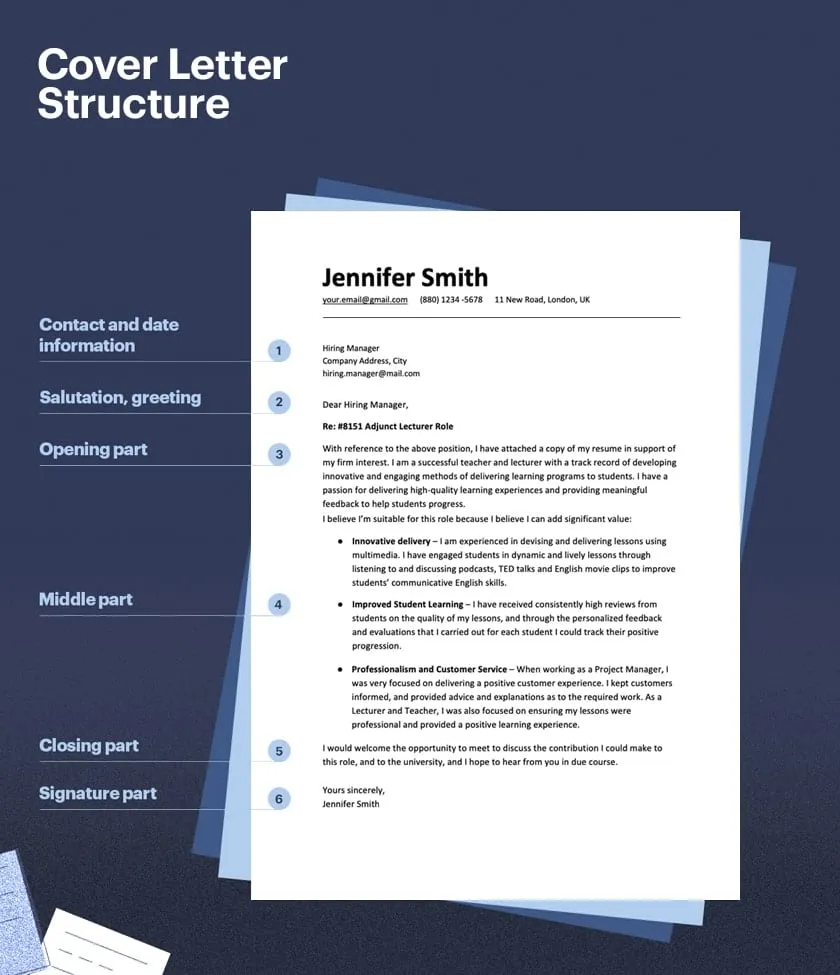
In the rare instance of sending a physical cover letter, a handwritten signature is expected. Use a pen with dark ink (black or blue) to sign your name clearly below the closing, such as “Sincerely” or “Best regards”. Make sure your signature is legible and matches the name you used in the cover letter. This adds a personal touch, showing that you’ve taken the time to make the application more personal. When handling a physical cover letter, ensure it is printed on quality paper. Use appropriate stationery that shows you pay attention to details. The overall presentation is crucial for creating a positive first impression.
Tip 1 Always Check Job Posting Instructions
The most important tip is to always carefully review the job posting for specific instructions on how to apply. The job posting will likely indicate whether they require a signature or not. If the posting is unclear, it’s a good idea to contact the hiring manager or human resources department to ask for clarification. Adhering to their instructions demonstrates your attention to detail and your ability to follow directions. This simple step can significantly increase your chances of getting noticed and considered for the position. You can even ask whether a digital signature would be acceptable if a physical one is not possible.
Tip 2 Digital Signatures for Electronic Cover Letters
If you wish to add a signature to an electronic cover letter, consider using a digital signature. Digital signatures are electronic versions of your handwritten signature. You can create a digital signature using various software or online tools. Once created, you can insert it into your cover letter as an image. Digital signatures add a professional touch and can give your application an extra layer of credibility. It’s important to use a digital signature that looks professional and is not a scanned image of a scribble. Ensure the digital signature is clear and easy to read. This shows that you understand modern professional practices.
Tip 3 Formal vs Informal Cover Letters

The need to sign a cover letter can depend on the level of formality expected by the employer. For formal positions in industries such as law, finance, or government, a signature may be more important than in more informal industries, such as creative fields. When writing a formal cover letter, use a professional tone and include a signature if there is no indication to the contrary. For informal positions, you might skip the signature, especially when submitting through email or an online application portal. Always tailor your approach to the specific job and company. Consider the company culture and tailor your style to what they expect.
Tip 4 The Impact of a Signature
While not always required, a signature can have a positive impact on your application. It adds a personal touch and shows attention to detail. In a pile of applications, a signed cover letter can help you stand out from the crowd. However, a poorly executed signature (e.g., a scanned signature that is hard to read) can have the opposite effect. So, if you choose to include a signature, make sure it is clear, professional, and well-executed. The overall impact depends on how well you present yourself. Focus on creating a well-written cover letter that highlights your skills and experiences.
Tip 5 Proofread and Tailor Your Cover Letter
Regardless of whether you sign your cover letter, proofreading and tailoring it to the specific job are essential. Ensure your cover letter is free of grammatical errors and typos. Review the job description carefully and highlight your relevant skills and experiences. Tailor your cover letter to the specific company and role. This shows the hiring manager that you are serious about the position and have taken the time to understand their needs. A well-written, tailored, and error-free cover letter is far more important than whether you sign it. Remember, the best way to make a good impression is to demonstrate your qualifications effectively.