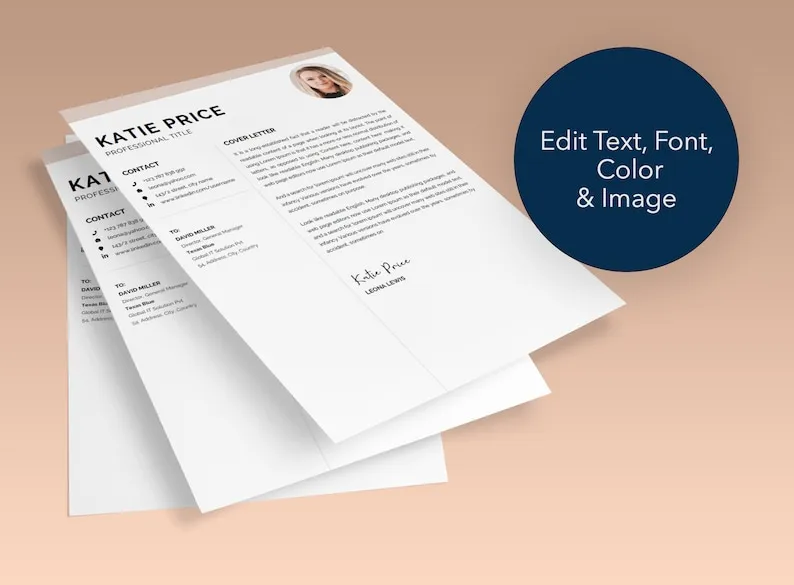
Why Use a Microsoft Word Cover Letter Template
In the competitive job market, a well-crafted cover letter is essential for making a strong first impression. Using a Microsoft Word cover letter template can significantly streamline the process, offering numerous advantages over creating a cover letter from scratch. These templates provide a pre-designed structure and formatting, saving you valuable time and effort while ensuring your cover letter looks professional and polished. Whether you’re a seasoned professional or a recent graduate, leveraging the power of a template is a smart move in your job search strategy. They’re especially helpful for those who may not have extensive experience in crafting professional documents. These templates offer guidance and structure, helping job seekers present their skills, experience, and qualifications effectively. The right template becomes your starting point to showcase your unique value proposition.
Key Benefits of Templates
Saves Time and Effort

One of the most significant benefits of using a cover letter template is the time it saves. Creating a cover letter from scratch can be a time-consuming process, involving formatting, layout design, and content creation. Templates eliminate these initial steps, allowing you to focus on the most crucial aspect – tailoring the content to fit the specific job and your qualifications. This is particularly useful when you’re applying for multiple positions, as you can quickly adapt the template to each role. Rather than spending hours on formatting, you can dedicate that time to researching the company, understanding the job requirements, and crafting a compelling narrative that highlights your suitability. This efficiency is especially important during active job searching, where speed and adaptability are key.
Ensures Professional Formatting
Professional formatting is crucial for making a positive first impression. Cover letter templates are designed with this in mind, providing a clean, organized layout that is easy to read. This includes appropriate fonts, spacing, and margins, which are all pre-set within the template. Consistent formatting across your entire cover letter conveys professionalism and attention to detail, both of which are highly valued by employers. Well-formatted documents are perceived as more credible and trustworthy, making it more likely that your application will be given serious consideration. Using a template assures that your formatting is spot-on, saving you from common pitfalls such as inconsistent spacing or alignment issues that can detract from your application.
Provides a Solid Structure
Cover letter templates provide a pre-defined structure, guiding you through the key elements of a successful cover letter. They typically include sections for your contact information, the recipient’s details, a compelling opening, a body that highlights your qualifications and experience, and a strong closing. Having a framework in place helps you to organize your thoughts and present your information logically. This structure ensures that you don’t miss any critical information and allows the hiring manager to quickly understand your skills and how they align with the job requirements. This pre-built framework is a significant benefit, especially if you’re new to writing cover letters, as it helps you avoid common mistakes and present a professional document.
Where to Find Cover Letter Templates in Microsoft Word

Using Microsoft Word’s Built-in Templates
Microsoft Word offers a variety of built-in cover letter templates, which is a convenient and accessible option for users. To access these templates, simply open Microsoft Word and navigate to the ‘File’ menu. From there, select ‘New,’ and you will be presented with a search bar. In the search bar, type ‘cover letter,’ and Word will display a selection of pre-designed templates. These templates come in different styles and formats, allowing you to choose one that best suits your needs and the specific job you’re applying for. The built-in templates are typically free and easy to use, as they are integrated directly into the software, eliminating the need to download external files or visit other websites.
Accessing Templates through File > New
Another easy method for finding templates is by using the ‘File > New’ option within Microsoft Word. This approach allows you to access the templates directly from the program’s interface. Once you’ve opened Microsoft Word, go to ‘File’ then click on ‘New.’ You can either browse the available template categories or use the search bar, as mentioned before, to look for ‘cover letter’ templates. This method is particularly user-friendly, as it doesn’t require you to leave the application to find a suitable template. Once you select a template, it opens directly in Word, ready for you to customize and personalize with your information. It ensures that you can easily start creating your cover letter without any added steps.
Searching Online for Templates

If you’re looking for more diverse or specialized options, searching online for cover letter templates is a good idea. Numerous websites offer a wide range of templates in various styles, formats, and industries. Sites such as Canva, Google Docs (templates), and specialized resume-building websites have free and premium templates. When you search online, you can often find templates that align with your industry or the specific type of job you’re applying for. Always review the terms and conditions, especially if you’re downloading templates from external sites. Ensure that the template is compatible with Microsoft Word and that the site is reputable to avoid downloading any malicious software.
Websites Offering Free Templates
Many websites provide free cover letter templates, making it easy to access professional-looking documents without any cost. Some popular platforms that often offer free templates include Microsoft’s own website (for downloads), Canva, and various job search and career advice websites. These free templates can be excellent starting points, offering a range of designs and formats. However, make sure to check the website’s reputation and terms of use before downloading. It’s also wise to ensure that the templates are compatible with Microsoft Word. After downloading, you can easily open and customize the template in Word to fit your specific needs and make it your own. Free templates are a great resource for anyone looking to save time and effort while creating a polished cover letter.
Creating Your Cover Letter 5 Essential Tips
Customize the Template to Your Needs

While a cover letter template provides a solid foundation, it’s crucial to customize it to reflect your unique qualifications and the specific job you’re applying for. Avoid simply filling in the blanks with generic information. Instead, tailor the content to showcase your skills, experiences, and accomplishments that align with the job description. Highlight specific projects, skills, and experiences relevant to the role. Review the job posting carefully and use keywords from the job description to show that you understand the requirements. Personalization is key – it shows the hiring manager that you’ve taken the time to understand the role and are genuinely interested in the opportunity. Make sure that every part of the cover letter resonates with the specific job.
Tailor Your Content to the Job
Tailoring your content to the job is one of the most important steps in creating a successful cover letter. Read the job description carefully and identify the key skills, qualifications, and experiences the employer is looking for. Then, highlight your own achievements and experiences that align with these requirements. Use specific examples and quantifiable results to demonstrate your abilities and impact. Mention how your skills and experiences make you an ideal fit for the role and the company. This tailored approach will demonstrate your understanding of the job and show the hiring manager that you’ve taken the time to personalize your application. This tailored approach ensures you’re not just submitting a generic letter; you’re showing how you specifically match the job’s requirements.
Proofread Carefully
Proofreading is an essential step in creating a professional cover letter. Before submitting your cover letter, carefully review it for any errors in grammar, spelling, punctuation, and formatting. Errors can undermine your credibility and make a negative impression. Use the built-in spell checker and grammar checker in Microsoft Word, but don’t rely solely on these tools. Sometimes, they can miss subtle mistakes or overlook errors in context. It’s also a good idea to have a friend, family member, or career advisor review your cover letter to catch any mistakes you might have missed. A fresh pair of eyes can often identify errors that you might overlook. Always aim for perfection to present yourself in the best possible light.
Use a Professional Tone

Maintain a professional tone throughout your cover letter. Use formal language, avoid slang, and refrain from using contractions (e.g., use “do not” instead of “don’t”). Ensure your writing is clear, concise, and easy to understand. Focus on demonstrating your enthusiasm and your fit for the job. While it’s important to be personable, remember that a cover letter is a professional document and should reflect your professionalism. Use positive language and a confident, but not arrogant, tone. Your tone sets the stage for how the hiring manager will perceive you, so make sure it reflects your professional demeanor and respect for the opportunity.
Save in the Right Format
Saving your cover letter in the correct format is crucial for ensuring that it displays correctly when the hiring manager opens it. Typically, the most recommended format is PDF (Portable Document Format). This format preserves the layout, formatting, and fonts of your cover letter, regardless of the software or operating system used by the recipient. It ensures that your cover letter looks exactly as you intended. When saving your cover letter, select ‘Save As’ in Microsoft Word and choose ‘PDF’ from the file format options. Double-check that the formatting remains intact before sending. Some job applications may specify other required formats. Always review the application instructions to see if there are specific requirements for the cover letter format. This attention to detail shows you respect the employer’s guidelines.
In conclusion, utilizing a Microsoft Word cover letter template offers numerous advantages in the job application process. Templates save time, ensure professional formatting, and provide a structured framework. By customizing the template to your needs, tailoring the content to each job, and proofreading meticulously, you can create a compelling cover letter that highlights your qualifications and increases your chances of landing an interview. Remember to choose a suitable template, personalize the content, and save the document in the correct format. With these tips, you’ll be well-equipped to create a cover letter that makes a lasting positive impression, and helps you move closer to your dream job.